
Top free AI image generation tools 2026 – high-quality graphic solutions at zero cost
Having impressive visuals for presentations, blogs, or mockups is no longer limited to professional designers. Artificial intelligence (AI) models have evolved dramatically, allowing you to create artwork with just a few lines of prompts — completely free.
Below is a list of the leading AI image generation tools today, categorized by usage needs from basic to advanced.
- Free Integrated AI Image Generation Tools
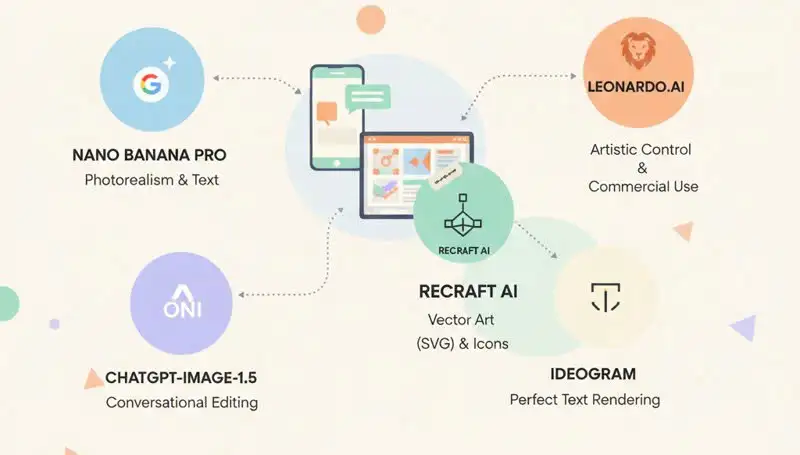
This group of tools is directly integrated into chat interfaces (chatbots). They are ideal if you want to generate images quickly through conversation without diving into sliders or complex settings.
Nano Banana Pro (Google)

Considered Google’s newest and most powerful image model as of early 2026, Nano Banana Pro is a “monster” when it comes to text integration within GeminiAI.
Advantages:
- Highly accurate multilingual text insertion.
- Breakthrough feature: translating text directly inside images while preserving the original font and style.
Limitations:
- Free images often contain watermarks (Gemini sparkle icon) and hidden SynthID encoding for AI copyright marking.
- Although removable with external tools, this remains a downside compared to other AI image generators.
ChatGPT-Image-1.5 (OpenAI)
OpenAI provides free access to the GPT-Image-1.5 model. Its greatest strength lies in “conversational editing.”
Key Feature:
- You can request changes like: “Change the blue chart to purple,” and the AI understands the context and edits the existing image instead of generating a completely new one.
- Limitation:
Although it produces high-quality images, generation time is slower compared to other AI tools listed here.
Copilot (Microsoft) – The “Right Hand” for Windows Users
Copilot uses the power of the latest DALL-E model from OpenAI, optimized for Microsoft’s ecosystem.
Characteristics:
- Completely free
- Easily accessible via Edge browser, Windows, or mobile app.
Advantages:
- Excellent Vietnamese language understanding
- Generates 4 image variations at once
- Supports instant redesign through built-in suggestions.
Limitation:
- Applies strict safety filters, sometimes refusing harmless prompts it considers sensitive.
Grok (xAI by Elon Musk) – Bold and Realistic
Grok (version 2.0 or 3.0 depending on region) integrates the FLUX.1 model — one of the most realistic image-generation models available today.
Characteristics:
- Integrated within the X (Twitter) platform
- Previously Premium-only, now offers limited free trials in certain regions
Advantages:
- Greater creative freedom
- Produces highly realistic human portraits and landscapes
- Less restrictive than Copilot or Gemini
Limitation:
- May not always perfectly interpret user prompts despite generating multiple variations.
- Advanced AI Tools (For Professional Design)
If you require deeper control over style, composition, and format, the specialized platforms below are the answer.
Leonardo.Ai: The Peak of Artistic Control
Leonardo.Ai offers features typically found in paid plans, such as “Image Guidance” (upload a sketch for the AI to follow).
- Free Limit : 150 fast tokens per day (approximately 30–70 images)
- Note: Free images are publicly displayed in the community library. Commercial use is allowed even under the free plan.
Recraft AI – The Savior for Vector Design
If you work in UI/UX or app design, Recraft AI is currently the only tool offering free vector graphic (SVG) generation.
- Characteristics: Creates icons, logos, and illustrations scalable without pixilation.
- Free Limit: 30 credits/day (~25 images)
- Note: Free plan is for personal use only (no commercial projects).
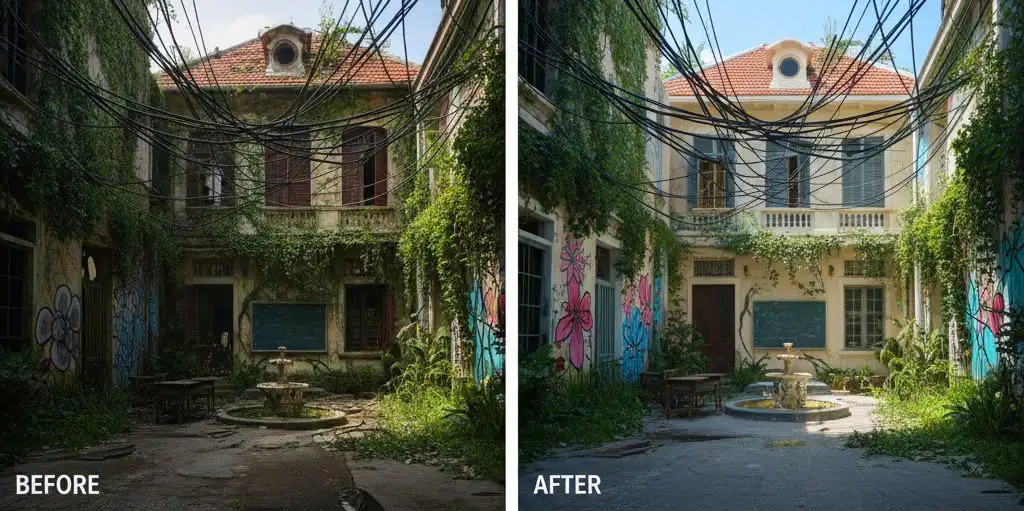
Ideogram – The Master of Typography
Ideogram is famous for near-perfect text rendering with almost zero spelling mistakes.
- Magic Prompt Feature: Automatically rewrites simple prompts into detailed artistic prompts for the best possible visual output.
- Summary Comparison Table of AI Image Tools 2026
| Công cụ | Phân loại | Phù hợp nhất cho | Hạn mức miễn phí | Tính năng cốt lõi |
| Nano Banana Pro | Integrated Chat | Realistic images & multilingual text | Generous (Gemini-based) | In-image text translation; strong prompt accuracy |
| ChatGPT-Image-1.5 | Integrated Chat | Conversational editing | ~2–3 images/day | Highly intelligent iterative editing |
| Leonardo.Ai | Advanced Platform | Deep artistic control | 150 tokens/day (~30–70 images) | Commercial use allowed; sketch-based drawing |
| Recraft AI | Advanced Platform | Vector graphics (SVG) & icons | 30 credits/day (~25 images) | Scalable SVG export; brand color enforcement |
| Ideogram | Advanced Platform | Typography & text design | 10–20 prompts/day | Near-perfect text rendering; Magic Prompt |
- Additional Popular AI Image Tools
Besides the names above, 2026 also sees strong growth in browser-based and app-integrated tools:
- Adobe Firefly (Web/Photoshop): Known for “Generative Fill,” allowing image expansion or detail addition using ethically trained AI (Adobe Stock dataset).
- Microsoft Designer (DALL-E 3): Integrated into Edge and Windows for rapid image and poster design.
- Canva Magic Media: Integrated into Edge and Windows for rapid image and poster design.
Tips for Writing Better Prompts:
To maximize these tools, follow this formula:
[Subject] + [Action/Context] + [Art Style] + [Lighting/Camera Angle]
The more detailed your description, the better the AI understands your intent from the first attempt.
From: IT Department
Comments (0)
Newest